1
Office Visit
Proceed to the BCC Administrative Office during regular operating hours for account verification.
2
ID Verification
Present your Valid School/Employee ID and provide your registered email address to the administrator.
3
Immediate Change
After the administrative reset, log in and change your password immediately to secure your account.
How to change your password
Follow these visual steps after logging in:
Step 1
Access Profile Settings
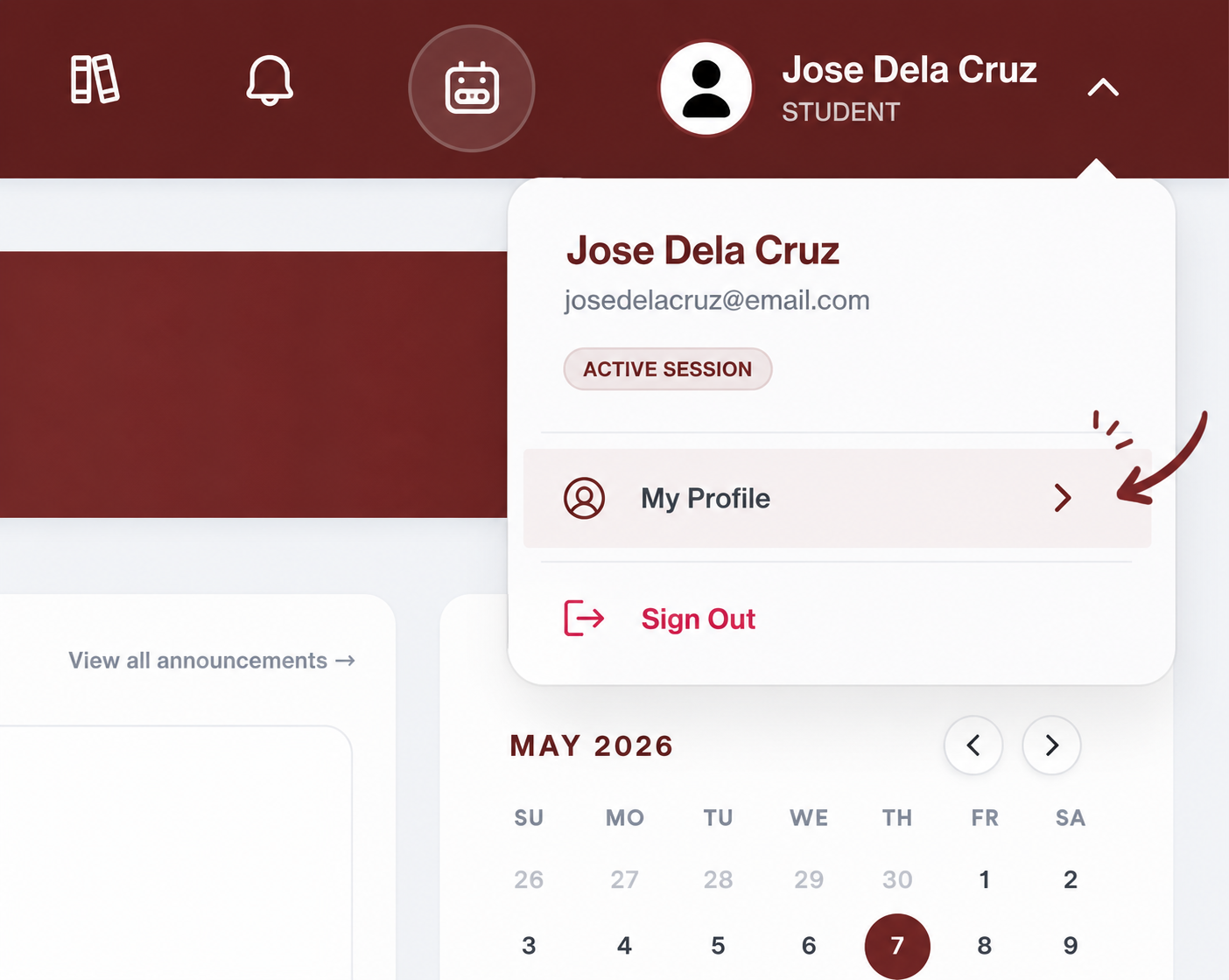
Click on your profile avatar in the navigation bar to open the menu.
Step 2
Update Your Password
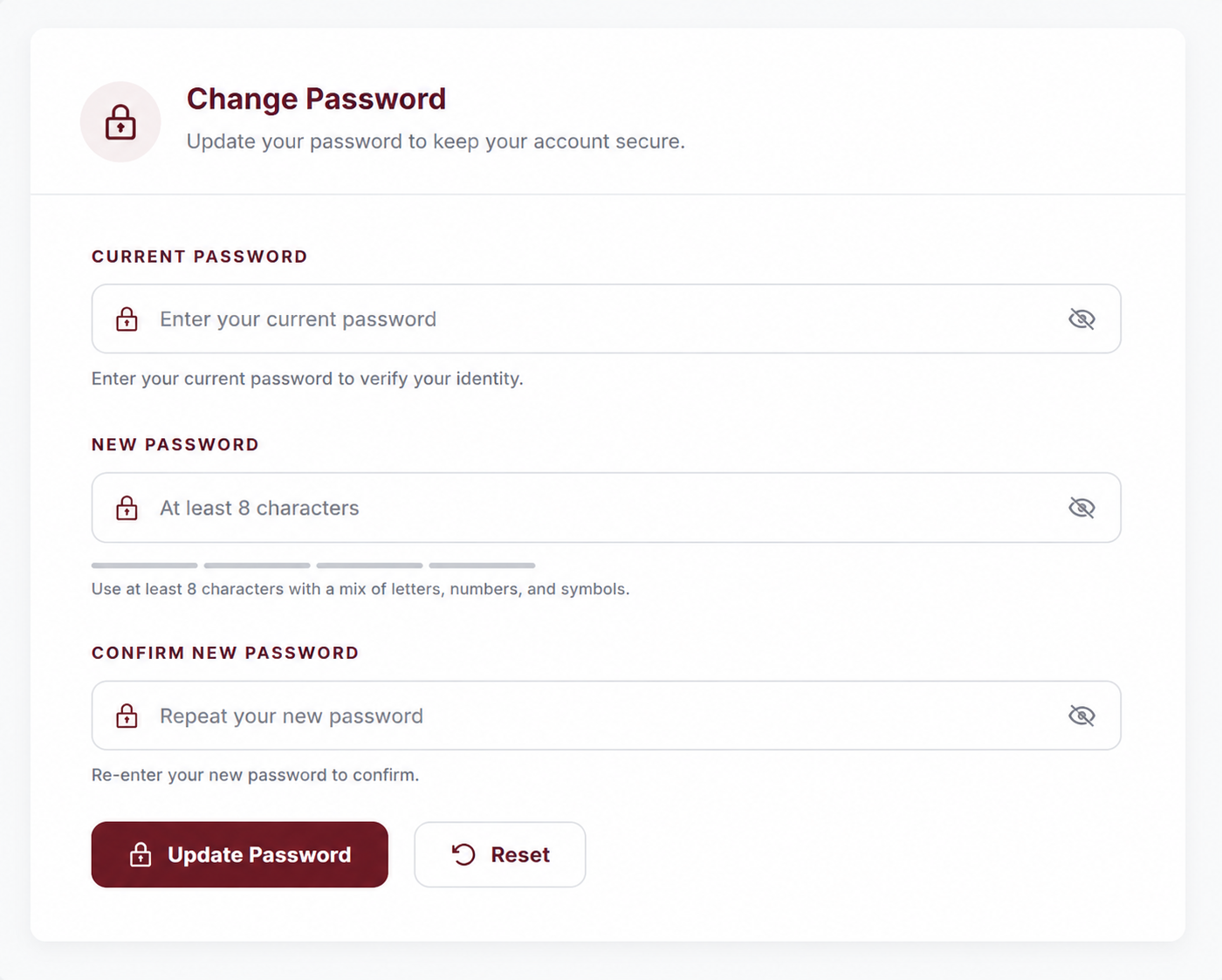
Click the Change Password Dropdown and fill in the current and new password fields to complete the process.